The workout app I built for myself. It helps me plan towards strength goals, integrates with my WHOOP and Apple Watch, and acts as the system of record for my lifts. That’s it right here. Scroll it and tap around.
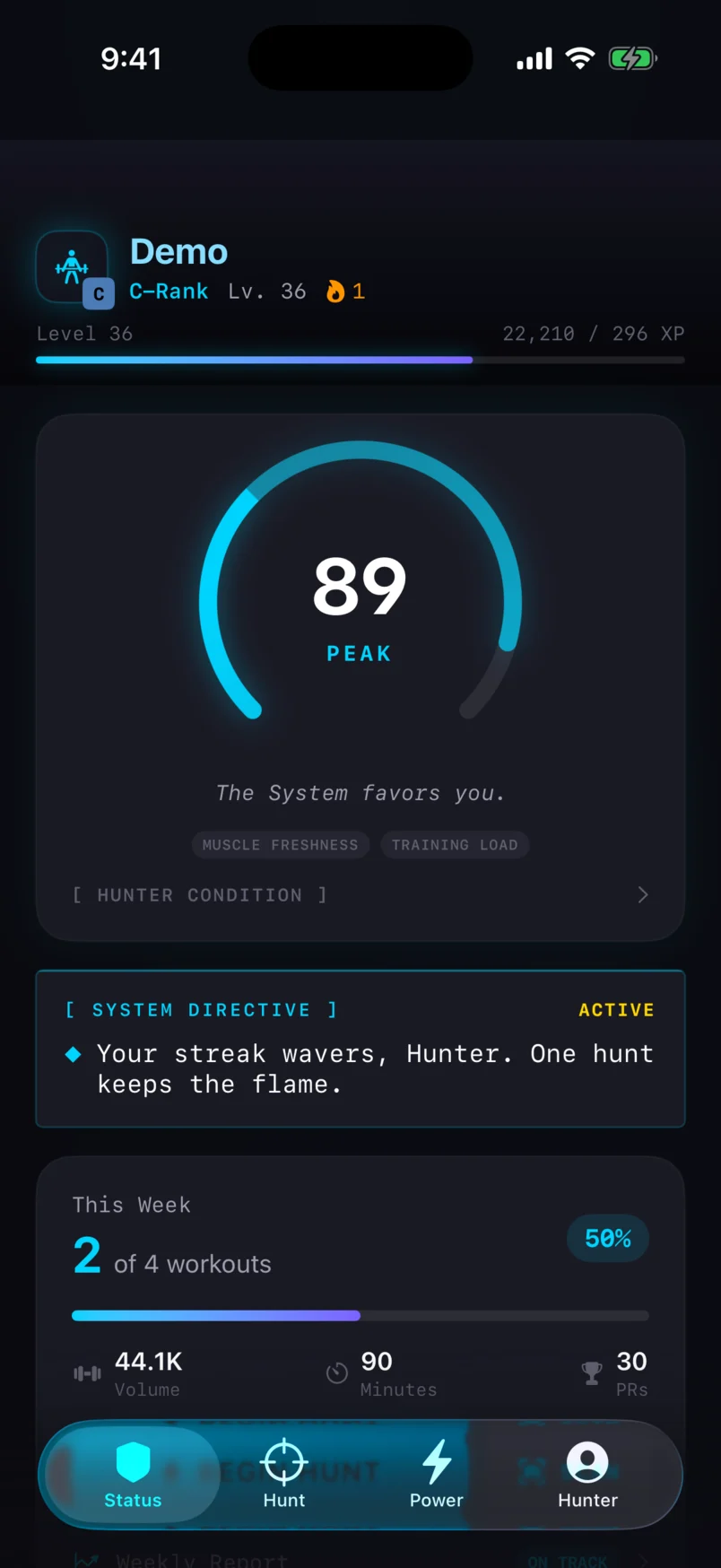
On screen · Status
Real screens from the current build, on a demo account.
Why I built it
Most workout apps didn’t fit.
Most workout apps are either over-engineered, under-engineered, or not suited to my purposes. I wanted one that helped me plan towards strength goals, integrated with my WHOOP and Apple Watch, and acted as a system of record for my exercises.
It needed to work seamlessly across my apps, with as little coordination tax as possible between the different systems I use.
The first important feature was the ability to transfer workouts I had already logged in WHOOP into my app, since WHOOP was my default place to log sets and weights. I take a screenshot of the workout, the app reads the exercises, sets, reps and weights off it, and I fix anything it got wrong before it saves.
To be honest, I’ve only ever gone in one direction, WHOOP into my app. I’ve found that to be more consistent than trying to port workouts from my app into WHOOP for strain tracking.
Small touches
The things that made it fit.
There are small touches in the app that made it fit what I wanted.
Rest timerAn automatic timer between sets, so you know how much you rested.
SupersetsEasy to set up, with two exercises or more.
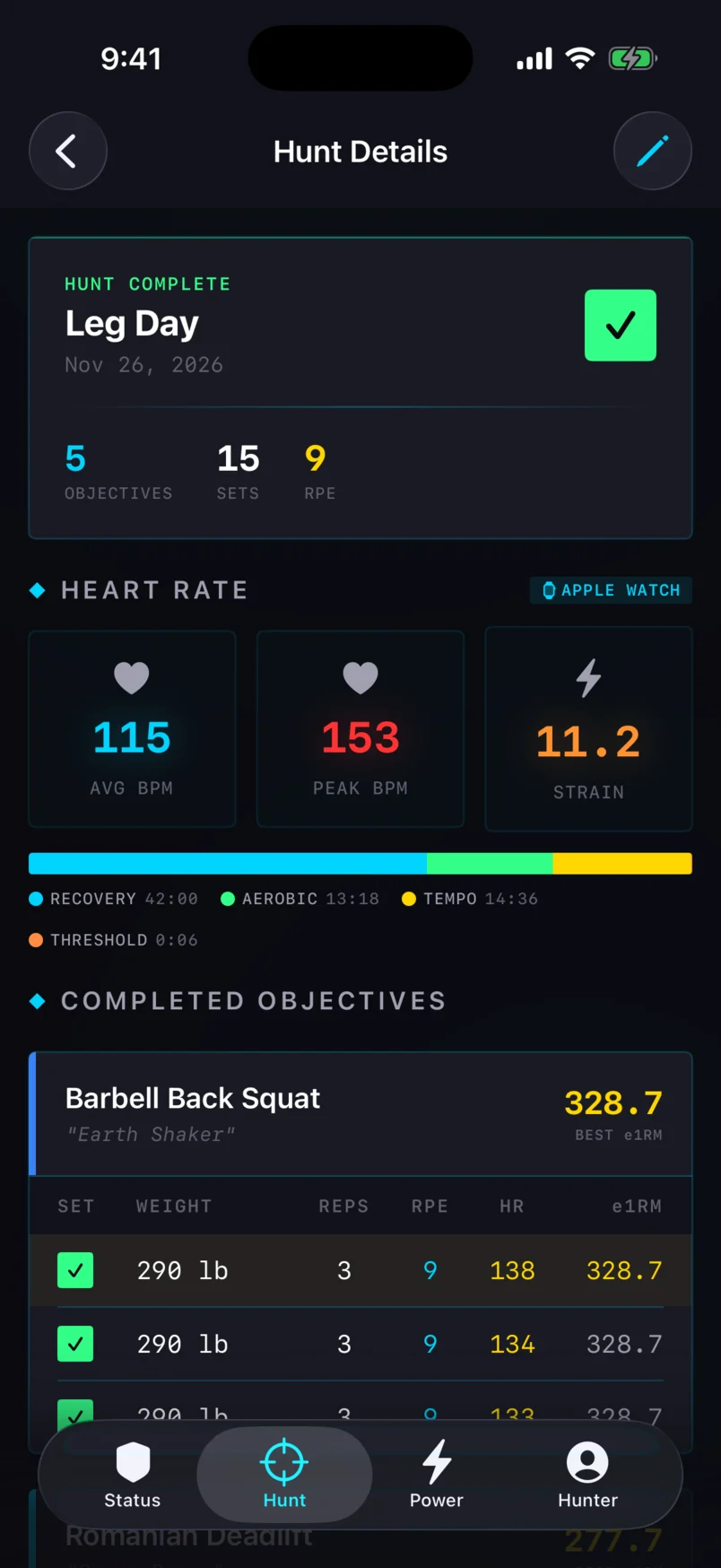
E1RM after every liftAn estimated one-rep max for each set, so any two sets can be compared.
Big three progressionProgression statistics for squat, bench and deadlift, plus the ability to add the rest.
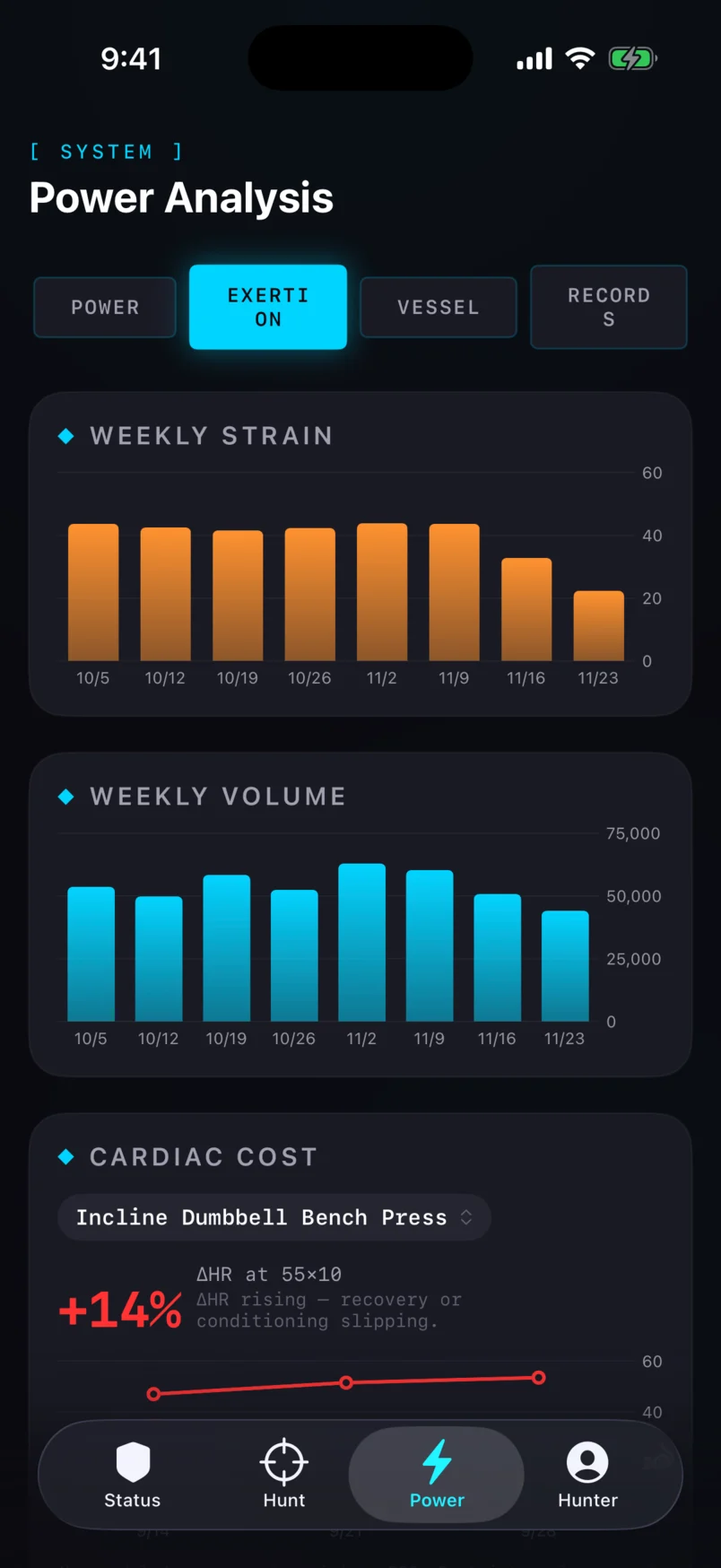
Weekly statsAcross lifts, exertion, measurements and records.
What E1RM is
E1RM is an estimated one-rep max. The app uses the Epley formula, weight × (1 + reps / 30), to turn every set into one number. Beat your best on that number and it counts as a PR.
This is the same calculation the server runs when a set is saved. Try it.
262.5
225 for 5 comes out to 262.5. 205 for 8 comes out to 259.7. Without the number I couldn’t tell you which set was better.
Goals into plans
A goal is not a plan.
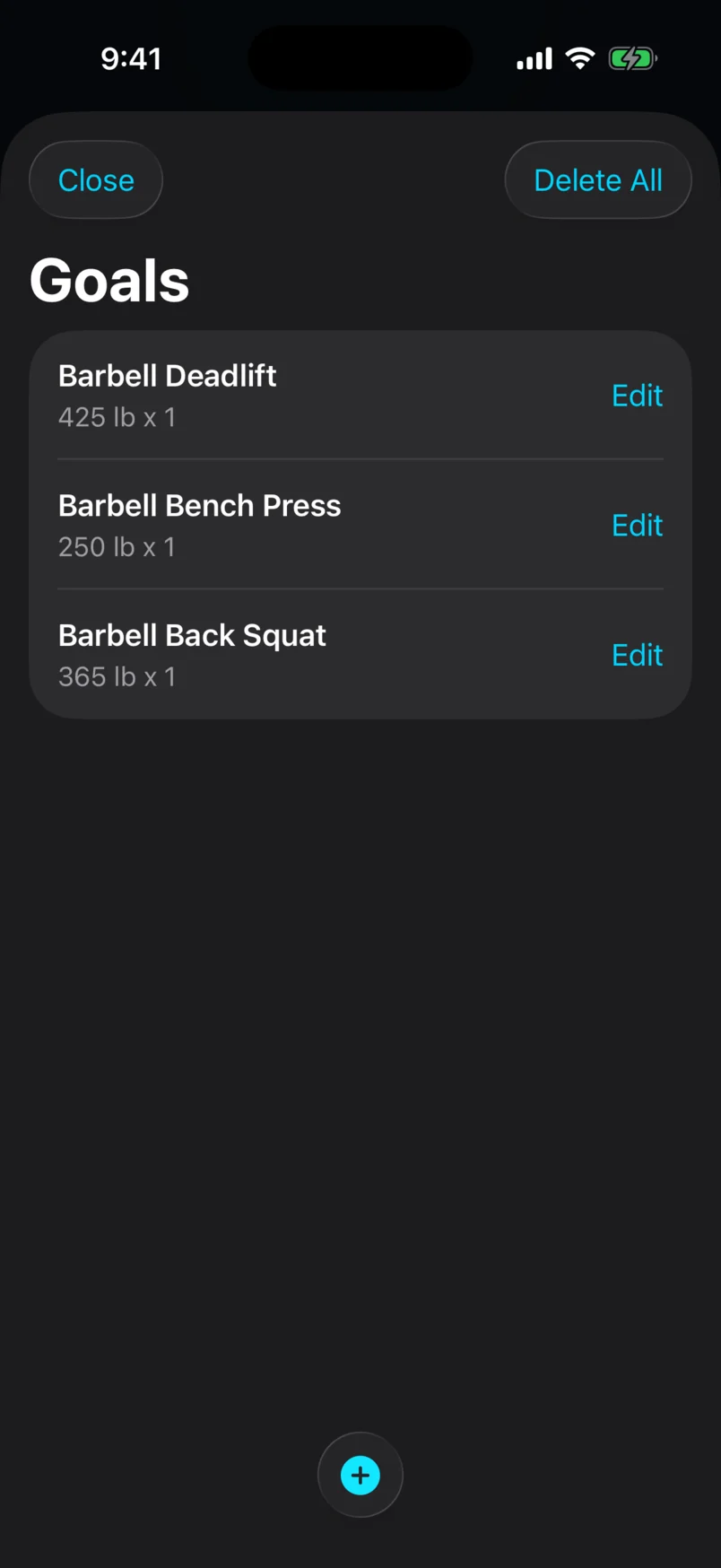
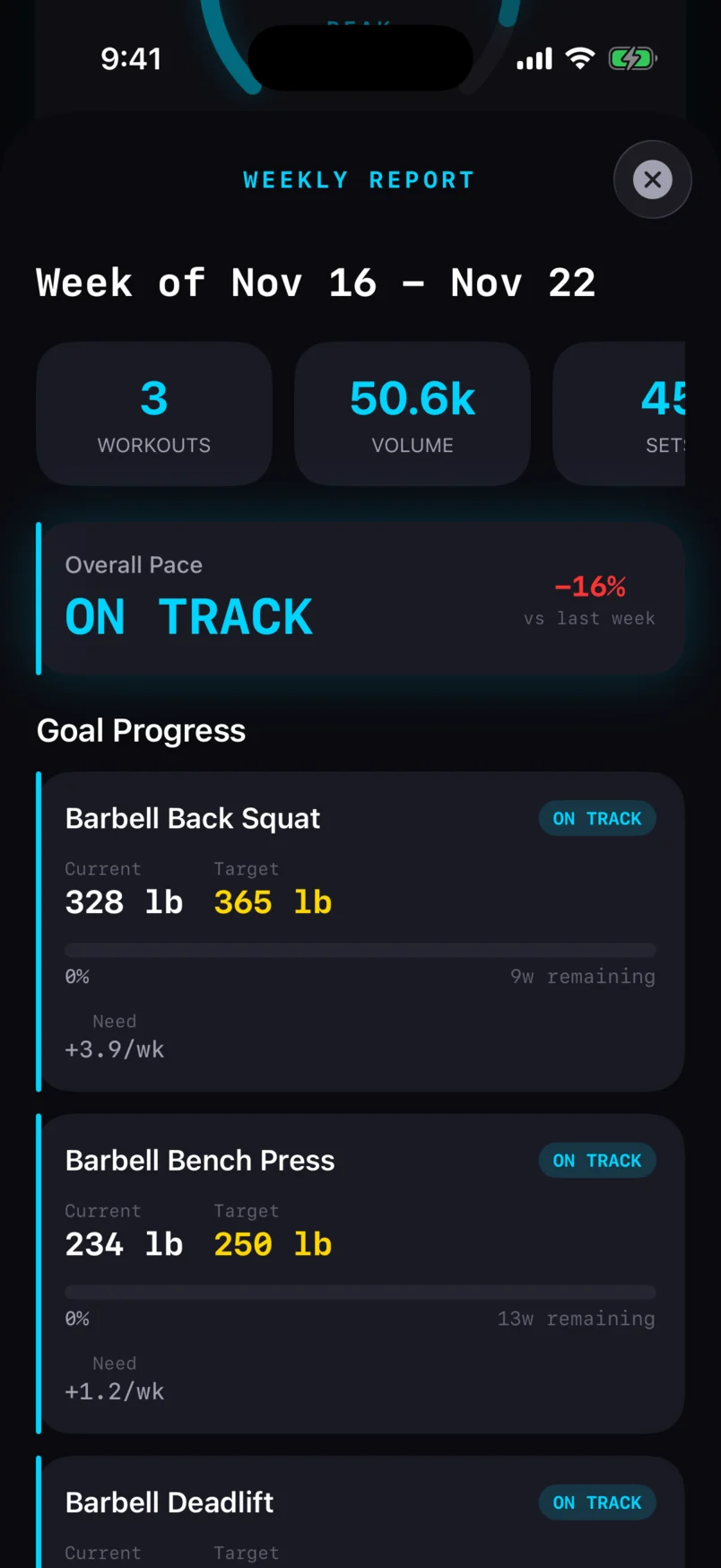
“Squat 365” is a goal. It doesn’t tell me what to do on a Tuesday. I wanted the app to help me plan towards the number, so the goal turns into a weekly rate, the rate turns into a week of training, and what I actually did gets checked against it. That runs across two apps.
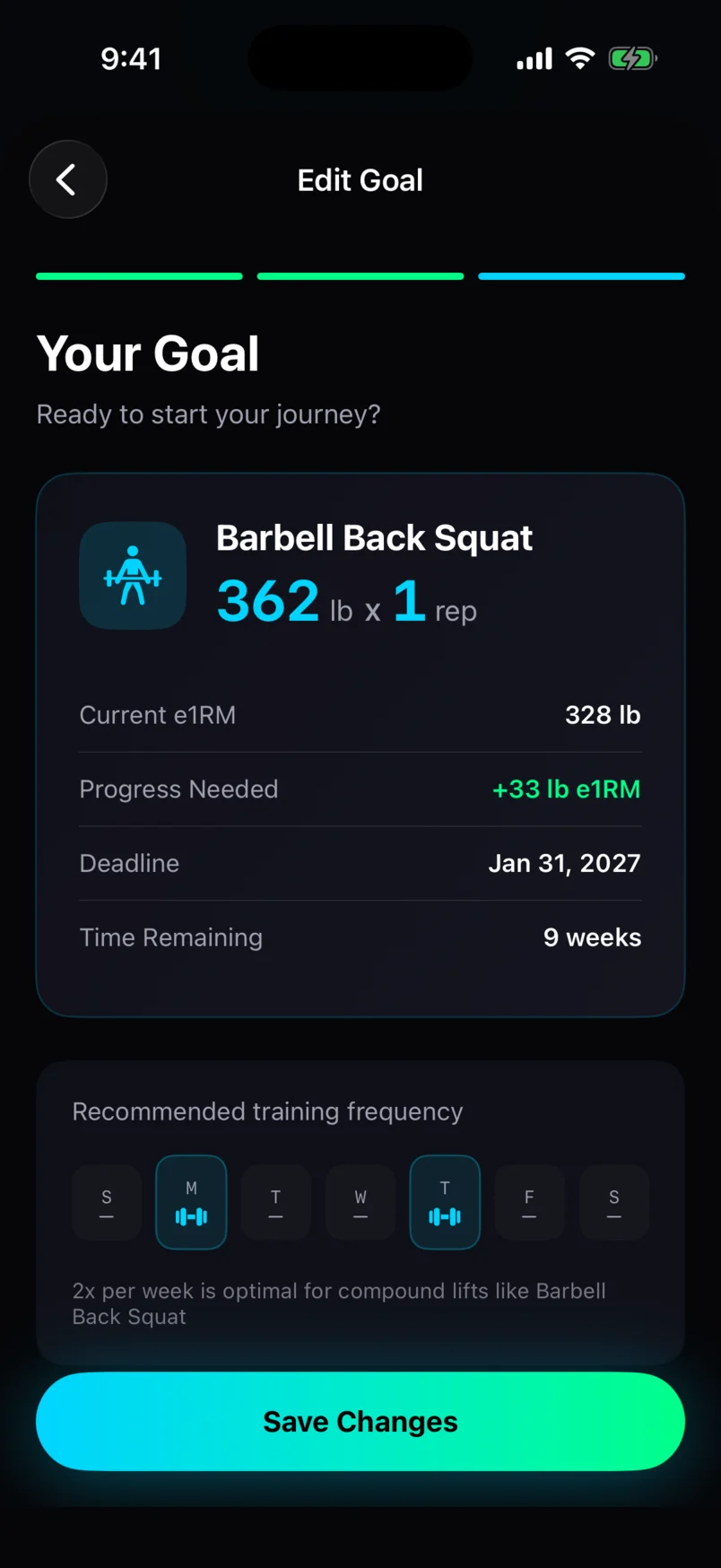
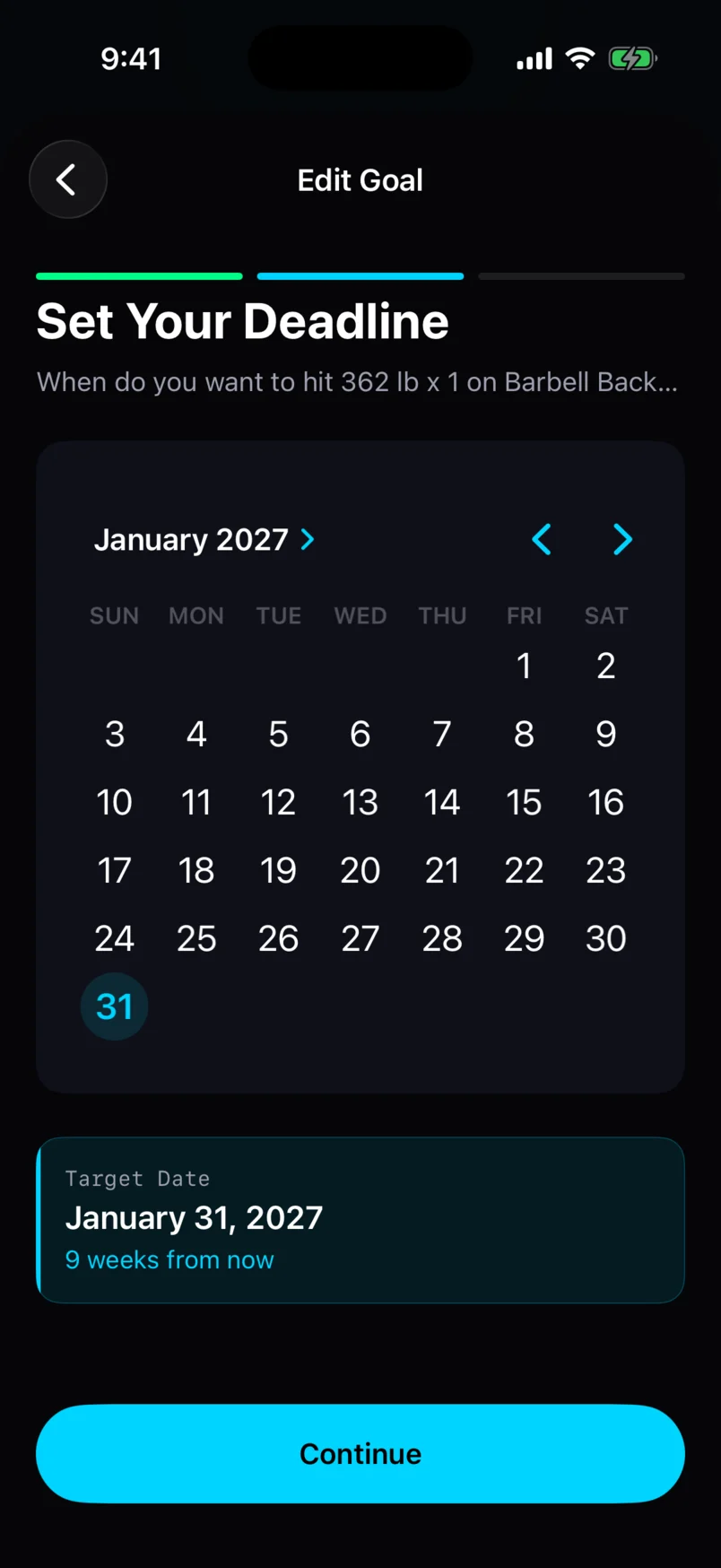
ARISE · iOSThe goal: 362 by January 31. That’s 33 pounds in nine weeks.
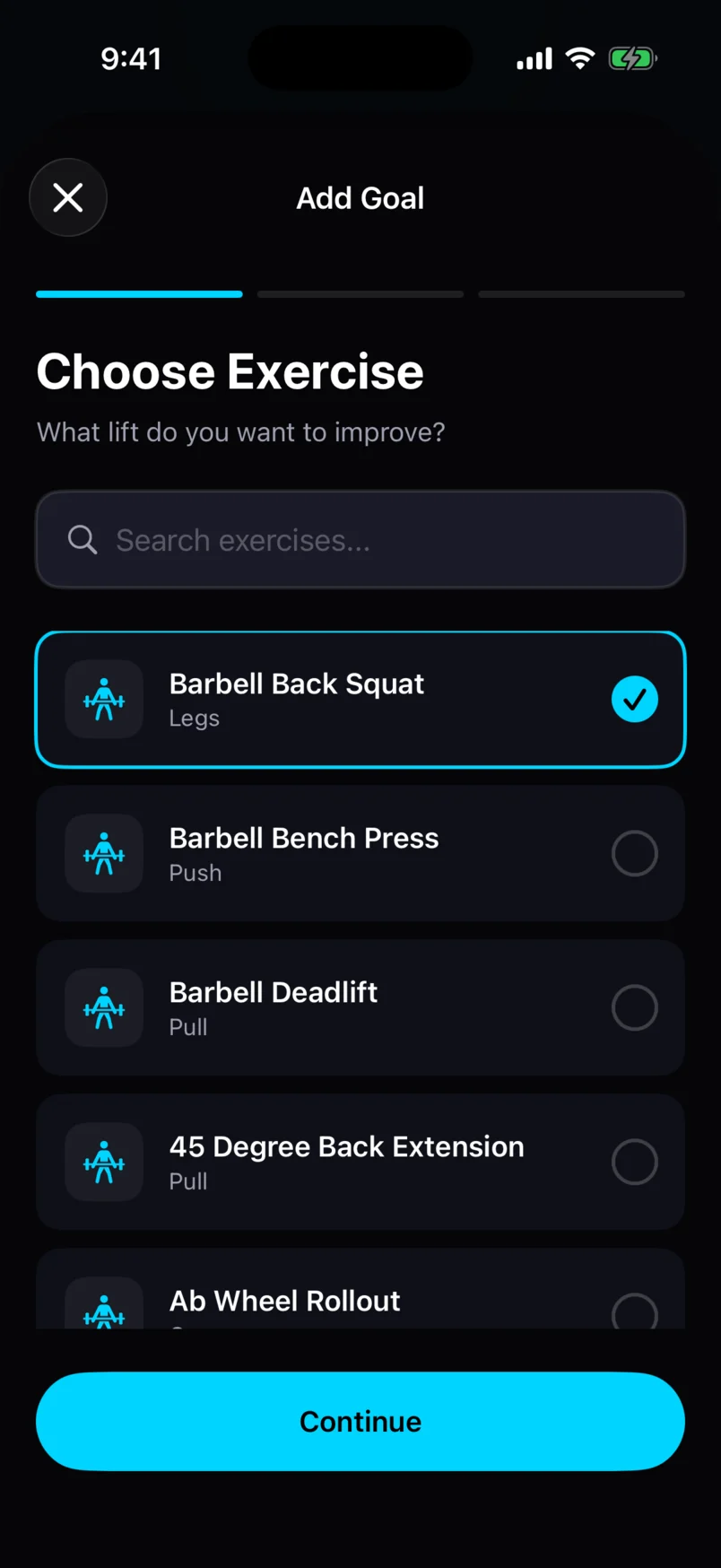
01Set the goal. A lift, a number, a date.
02Get the rate. The app works out what you have to gain per week to make it, and how often to train the lift.
03Follow the week. The calendar says what today is: squat day, long run, or rest.
04Just train. Lifts come from the app, runs come from the watch. Days check themselves off.
05Read the verdict. On pace, behind, or ahead. Weekly in the app, daily on the calendar.
Training Calendar · webNot a screenshot. It’s the app itself on demo data, so tap the pace strip, switch phases, check off a day.
WK 59.6 / 10.4 MI2 LIFTSOn pace
That strip sits at the top of the calendar. It pro-rates mid-week, so on a Wednesday it compares you against where Wednesday should be.
Why a second app?
The calendar is a web app that lives on my home screen next to ARISE. It logs into the same backend, pulls what I actually did, and lays it over what I planned to do. I could have crammed it into the iOS app. I didn’t, because a training plan changes weekly and I wanted to edit one file and push, not ship a build.
To be clear about where the line is today: the iOS app owns the goal, the weekly pace check and a daily nudge. The week-by-week plan lives in the calendar.
The strip can also tell me to slow down. If my mileage ramps faster than the plan, it reads AHEAD · EASE UP.
Pick the liftAny exercise in the catalog.
Pick the dateA deadline turns a wish into a rate.
Keep a fewUp to five goals at once. More than that and none of them are goals.
Check inEvery week: where you are, where you need to be, and the gap.
WHOOP and Apple Watch
The watch does the logging.
I didn’t want to enter anything a device already knows. The app integrates with both my WHOOP and my Apple Watch, and each one fills in a different part of the record.
An illustration of the idea. The watch records heart rate all session. The app knows when each set started and ended, so every sample inside that window belongs to that set. Average and peak, per set.
The same set at a lower heart rate is progress too, and weight and reps alone don’t show it.
Source one
WHOOP
Connect once and the backend pulls strain, recovery, sleep, HRV and resting heart rate. A WHOOP workout is matched to the session you logged by time overlap, and it only fills in what’s empty. It never overwrites something you entered.
Source two
Apple Watch
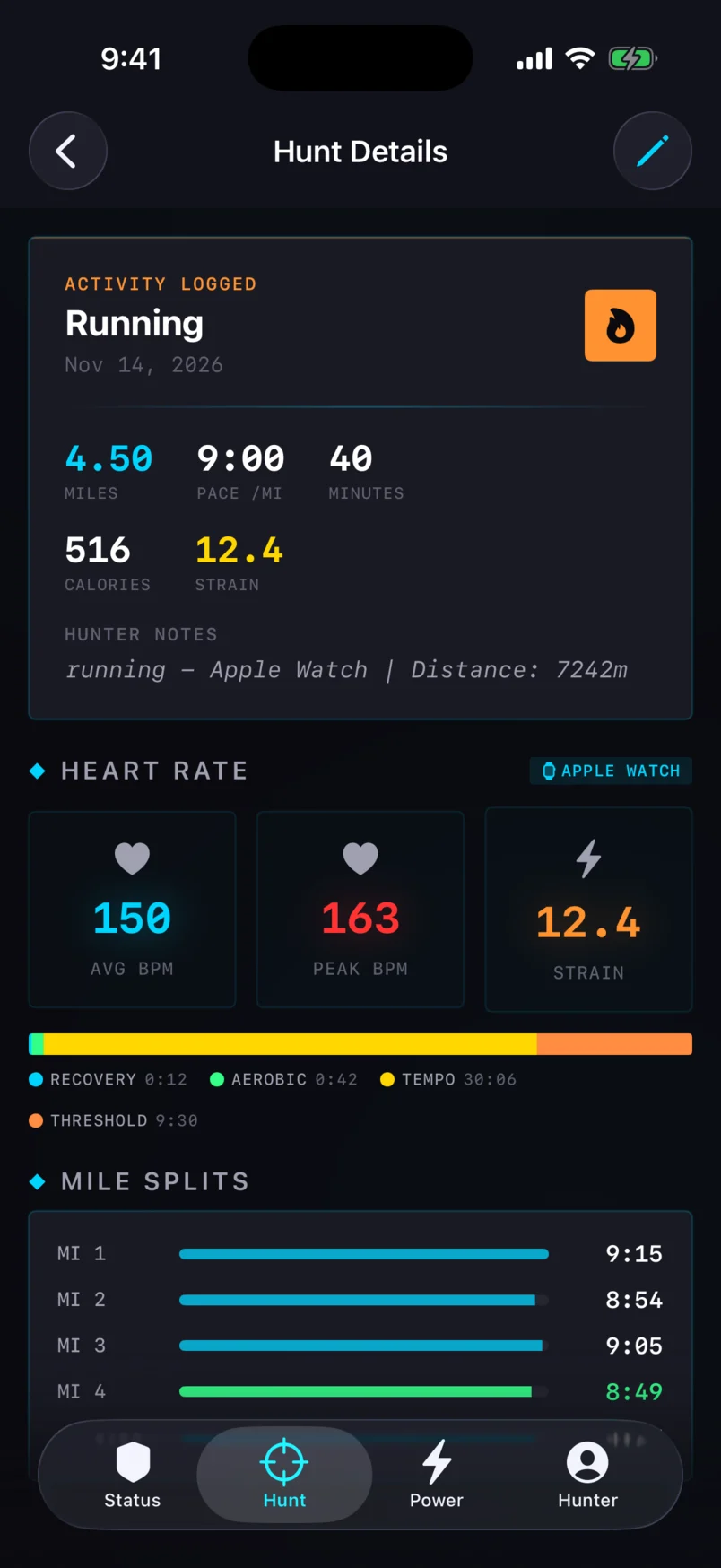
Through Apple Health. A run arrives as a finished session with distance, pace and mile splits, which is how the calendar knows my mileage without me touching it. For lifting, the watch supplies the raw heart rate that gets split across sets.
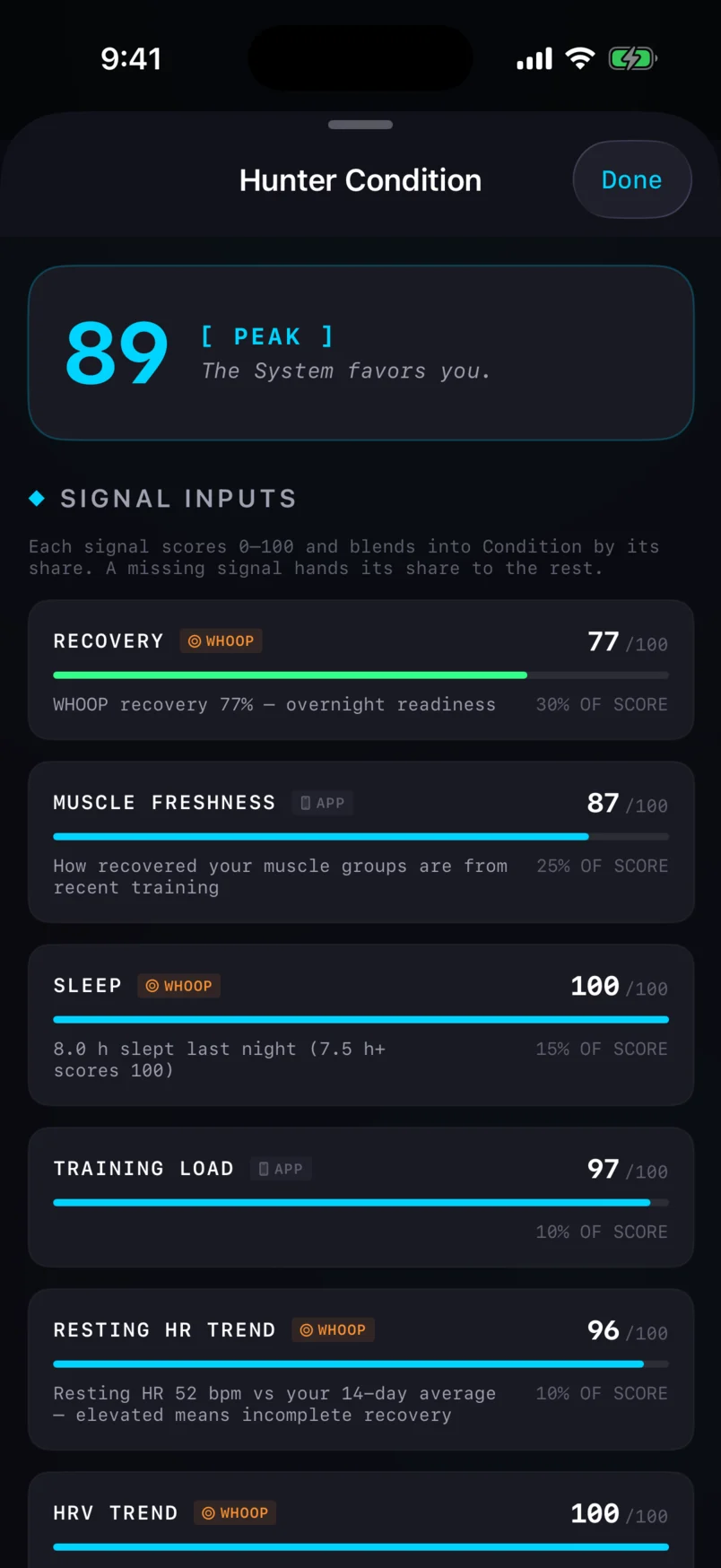
ConditionRecovery, sleep, HRV and training load, each tagged with where it came from.
LiftingHeart rate and strain for the session, and an average for every set.
RunningA run straight off the watch: pace, heart rate, zones and mile splits.
ExertionStrain and volume by week, so a hard month is visible as a hard month.
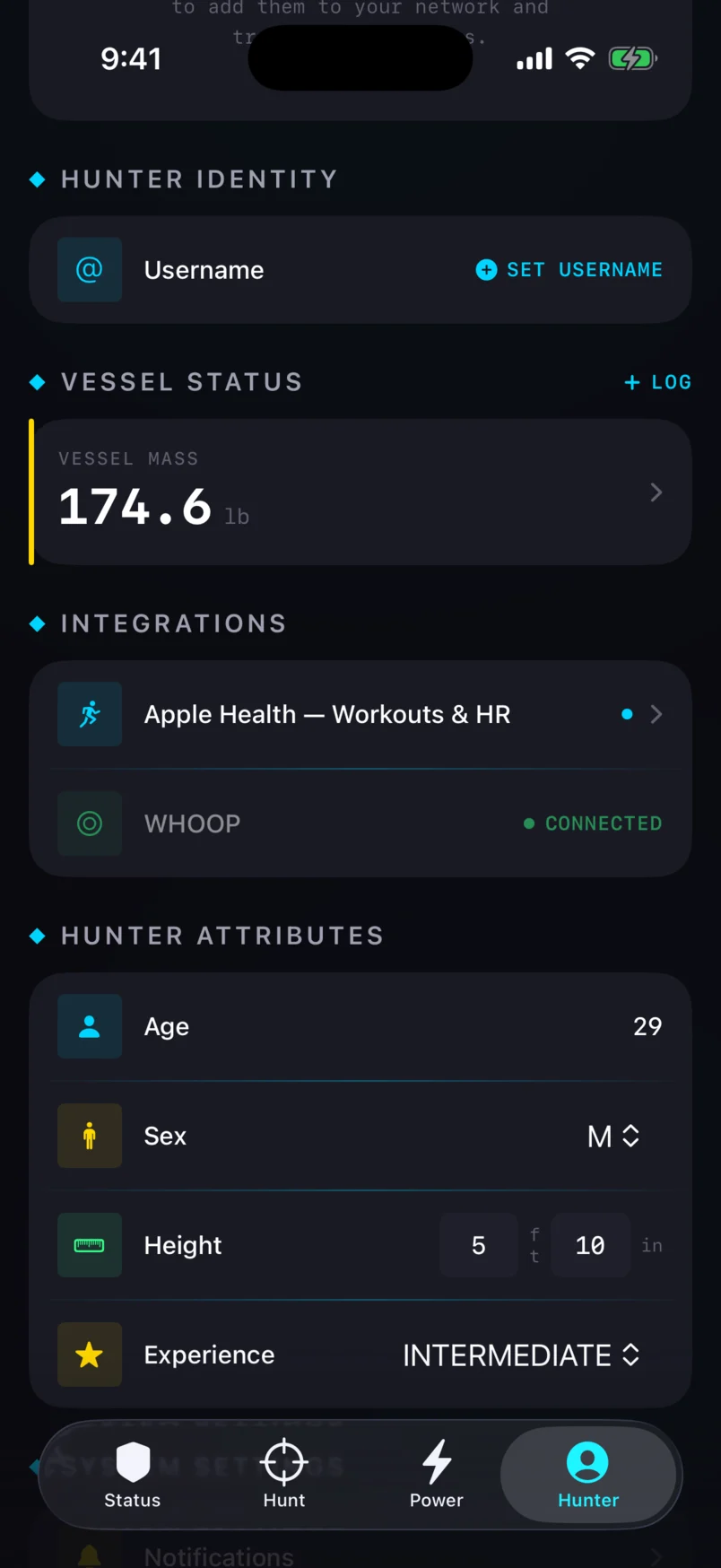
SourcesApple Health and WHOOP, connected once.
Condition
All of it rolls up into Condition, the gauge on the home screen. Recovery is 30% of the score, muscle freshness 25%, sleep 15%, and training load, resting heart rate and HRV split the rest.
If an input is missing, say there is no watch connected, it doesn’t count as a zero. Its weight goes to the inputs that are there, so the score still works with nothing connected.
How it is built
One server does the math.
XP, rank, one-rep max and PRs are all computed on the server. Because the phone doesn’t have to compute what a workout was worth, we have a consistent measurement across the board.
iOS app
SwiftUI. It logs workouts, shows progress and reads Apple Health. It sends what happened to the server and displays what comes back.
Backend
FastAPI and Postgres, hosted on Railway. A push to the main branch deploys it.
Screenshots
The image goes to the server, Claude reads the exercises, sets, reps and weights, and each exercise is matched to the catalog. I see the result and can edit it before it saves.
WHOOP
Connected once from the app. After that the server pulls workouts, recovery and sleep on its own and matches each workout to the session I logged by time.
Apple Watch
The phone reads runs and heart rate from Apple Health and sends them up. Runs become their own sessions. Heart rate gets attached to the sets it happened during.
Training Calendar
A plain web app with the same login. It asks the server what I did this week and lays it over the plan.
Spending limit
Every screenshot scan is a paid call to a vision model, so there is a daily ceiling across all users. Past it, the app says to try again later and nobody loses a scan.
The hard parts
Things that annoyed me to build.
01
Supersets kept crashing the app after I submitted a workout.
The app crashed every time I finished a workout and submitted it. The first hypothesis was the server, that it was sending back something the app couldn’t read. It turned out that wasn’t what was breaking. The backend tests passed and the response read in fine.
What was actually breaking was on the screen. Every row on the logging screen was tied to its position in a list, as in “the third exercise.” Submitting empties that list while the rows are still showing, so a row would go looking for a third exercise that was no longer there. Supersets were the worst case because a superset row was two positions deep: which exercise, then which round.
The fix was to tie every row to an id and not a position. After that it continued to break, and the reason was embarrassing. The fix had been written and never merged, so every new build still had the old code.
It’s merged now, along with a check that rejects the old pattern before it can get back in. That check found the same bug in two more places in the screenshot editor.
02
Getting workout data from screenshots was inconsistent at the start.
The first problem was dates. The app kept putting WHOOP workouts on the wrong day. The first hypothesis was the prompt, so I rewrote it to tell the model exactly where on the screen to look for the date. It still got dates wrong. Then I tried reading the date from the photo’s own metadata, which was better and still not reliable. What worked was a date picker. I pick the day, and the app uses my answer over the model’s guess.
Later, every upload started failing outright, and I assumed the prompt again. It wasn’t the prompt. The app was labeling every image as a JPEG because of how it named the file, but the photo picker often hands back a PNG, and the model rejects an image whose label doesn’t match its contents.
The secret to processing the screenshot was actually to look at the file itself to see what type it is, and not trust the name. After fixing that it started working far more consistently.
What is next
The App Store, then the plan.
So far I’m the only user. The App Store submission is the next step.
After that I want the app to write the plan itself. Today I write the training plan and the calendar tracks it. The server can already turn a plan into concrete sets, and it has a guard against doing too much too soon. The iPhone screens for it don’t exist yet.